
After scavenging for cables in a box full of different types of cables, I found all I needed to set up the mini-PC at my desk and installed Debian Trixie. Then I installed some basic tools for the setup I wanted (git, tailscale, ssh, docker) and created a bootstrap script to handle the provisioning of the mini-PC. Just a bunch of bash scripts in case I need to reprovision the mini-PC or move the workload to new hardware. It’s ugly but it works.
The setup from the first post moves onto the mini-PC mostly unchanged, just split across two machines. Each project is a devcontainer on the mini-PC, and inside it sits Claude Code, the Paseo daemon and the project’s tooling. The desktop client stays on both my Mac and my phone. They talk over HTTP, making the decoupling possible. On each container the daemon listens in 6767 and dev servers get 4210-4219.
The migration didn’t come without surprises; the SSH connection was slow to the point it was unusable. I could have spent days barking up the wrong tree, digging into networking or container configuration on my own. Thankfully, an agent doing more than I’d asked diagnosed the issue as a hardware problem, which had an easy fix: plugging a cable into the mini-PC.
With the SSH problem gone, it was time to set up my personalOS project on the mini-PC. Which immediately brought two questions.
How to manage the project? Initial setup and interacting with the devcontainer (booting, restarting, running commands, reading logs, etc.).
For that I ended up creating a small CLI tool which I called fleet (as if two containers were a fleet). It’s a rather simple tool that runs commands from my Mac inside the mini-PC over SSH. Some of the commands it has:
fleet add GIT_URL           # Clone a repo onto the host
fleet exec REPO -- COMMAND  # Run one command in the devcontainer of a repo
fleet up REPO               # Boot the devcontainer of a repo
The second question was: How to access the container?
Initially I was tempted to use the mini-PC as the access point for each container. Once I started to chew on the problem, I realized the setup had two problems: port management and inferring which project I was interacting with, based on the port. Having to know which port mapped to which project was something I didn’t want to experience, let alone manage. One port per container would be doable. Eleven of them, on every project, are not.
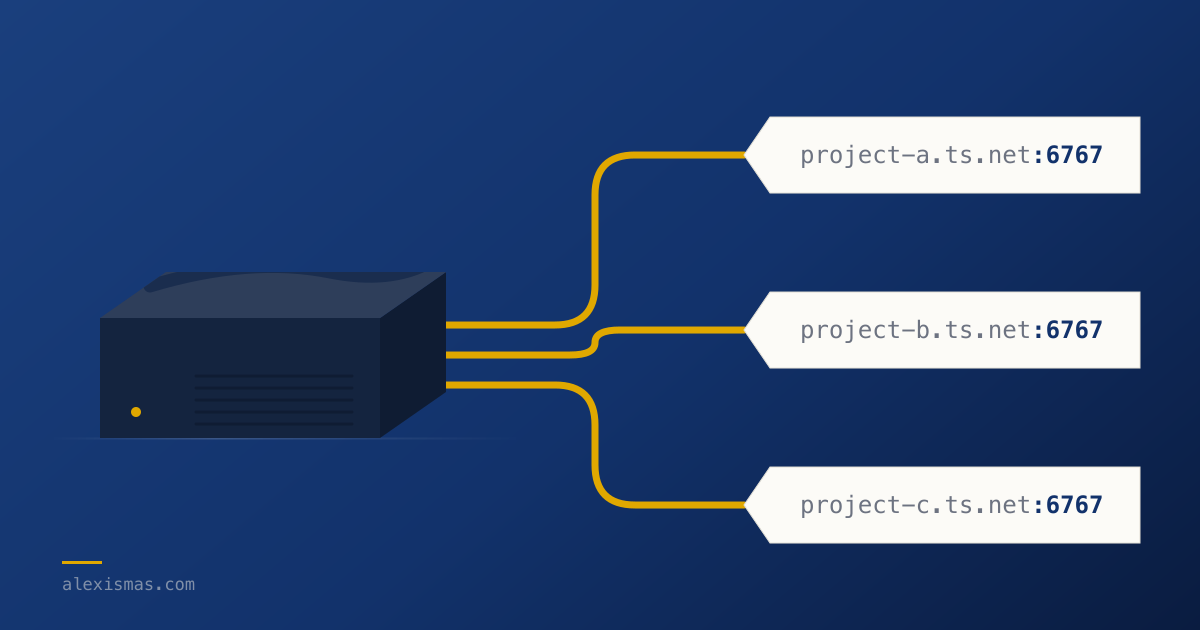
Instead, I added a Tailscale sidecar to each container. By doing so each container gets its own hostname (e.g. project-a.tailxxxx.ts.net). Meaning each project exposes the same ports under its own hostname. So I could access project-a:6767 and project-b:6767, immediately knowing which project I’m interacting with. Furthermore, it provided a consistent configuration across projects.
Suddenly, the morning after the initial setup I couldn’t SSH into the mini-PC anymore. It was the kind of failure we all hate, things breaking without anything changing. Turns out, by default Tailscale asks for re-authentication from time to time. Changing the policy from “check” to “accept” removed that step and by doing so some friction was gone.
The cost of not juggling ports is the extra setup needed to get the tailnet sidecar up and running. After a week of using the new setup, it was the right choice. I know which project I’m interacting with by just glancing at the URL either in Paseo’s config or in my browser.
Since last week my agents have been working nights (while I sleep); I have them scheduled to run at 01:00 and 03:00, a PR on each run. The next morning, after dropping my daughter at school, I pour myself a coffee and review the PRs produced overnight. This already got me exploring how to set up agents to run 24/7 to keep a steady supply of PRs to review.